If you want to set up your keyword search to include sub descriptions 1, 2, you can use the product_keywords field, and add a new field mapping, as follows:
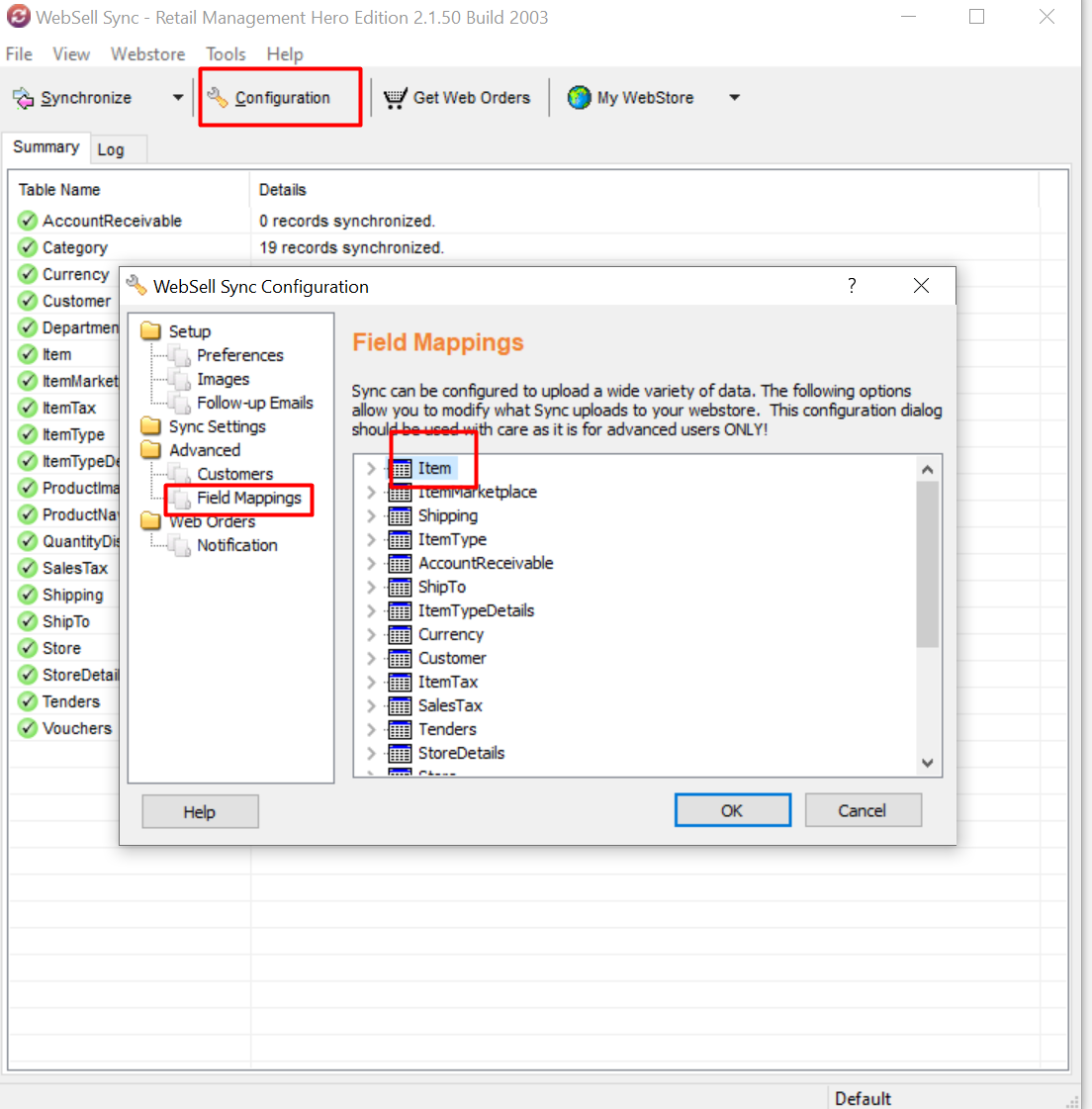
- In WebSell Sync Configuration, under Advanced, select Field Mappings.
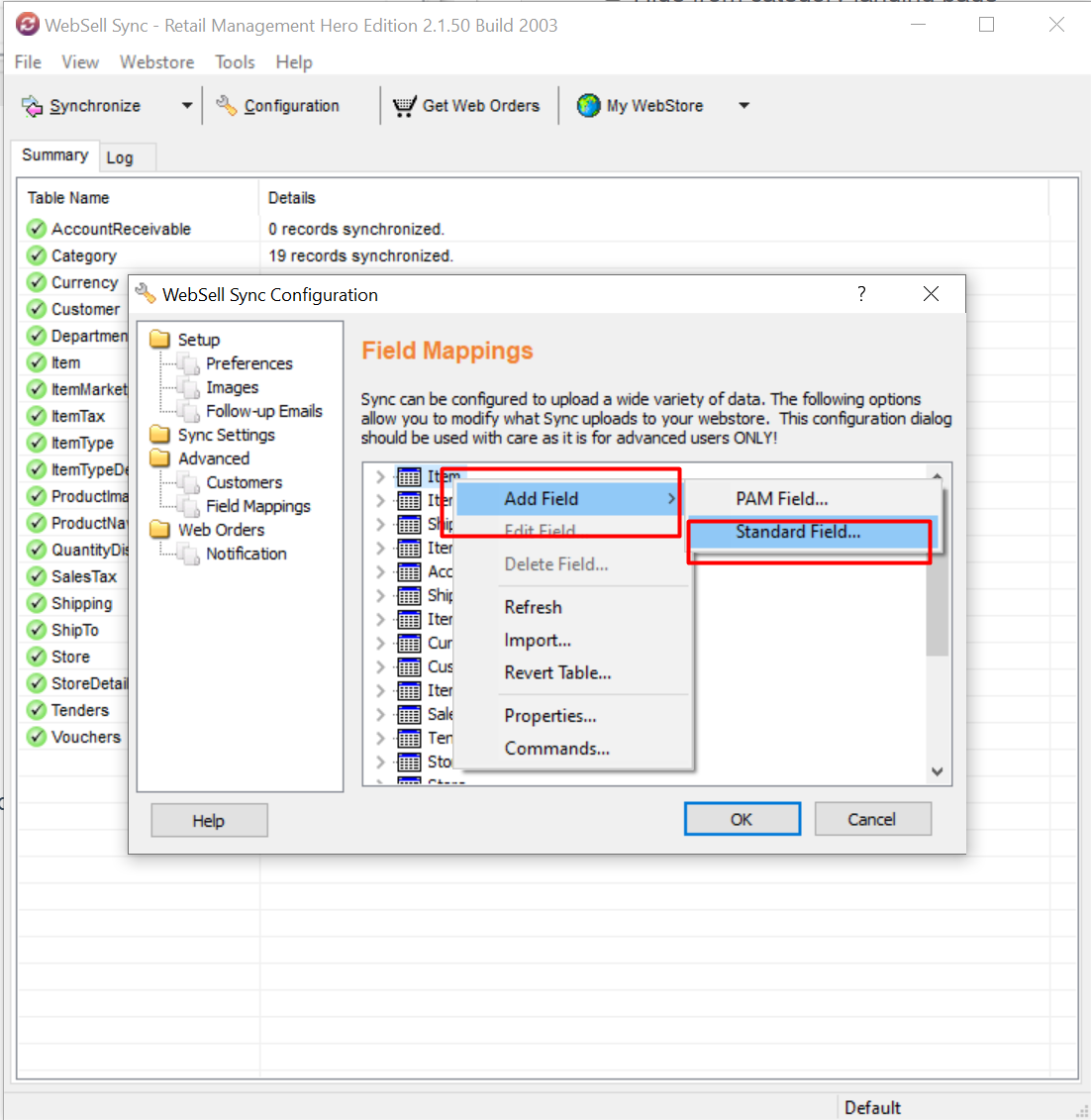
- Right-click the Item table. Select Add Field, then Standard RMS Field.
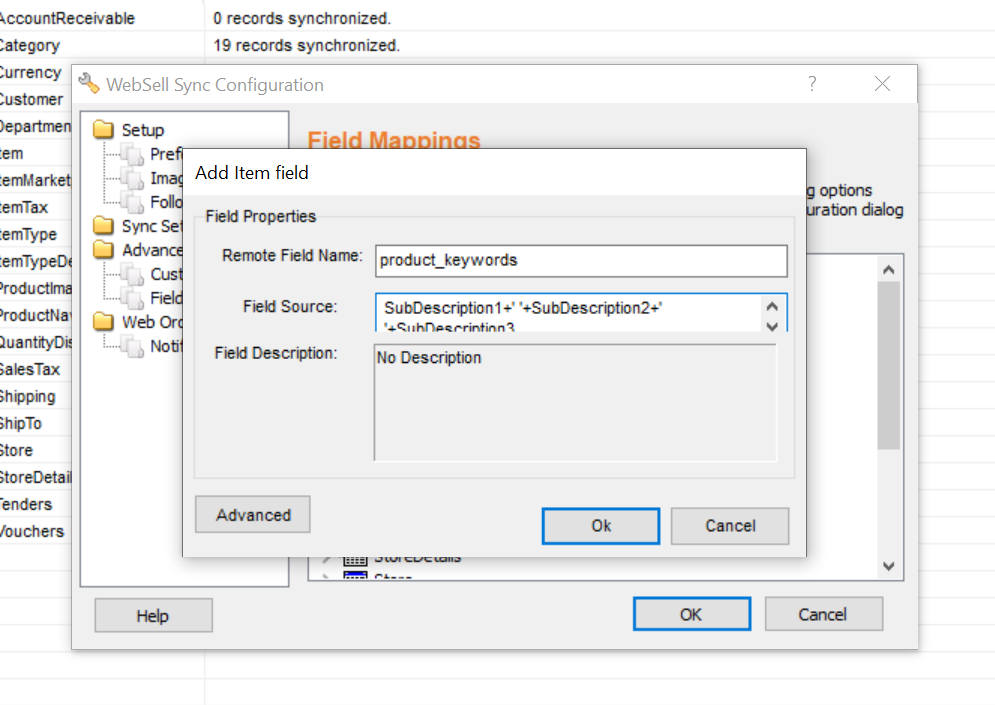
- The Field Mapping dialog is displayed.
- For Field Name, enter product_keywords. For Field Source, enter: SubDescription1+' '+SubDescription2+' '+SubDescription3
- Click OK or Validate (whichever button appears on your Field Mapping dialog), then click OK. Re-synchronize your WebStore for the change to take effect.
