This guide explains how to configure your store so that customers from states where you do not need to charge sales tax are properly exempt. Only the states you charge tax for will be taxable.
How to Configure Tax Exempt-States
In Web Store Manager, go to Fulfillment & Taxes>General Setup>Select country>Configure States.
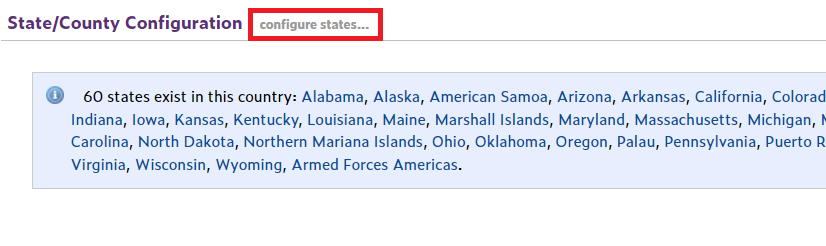
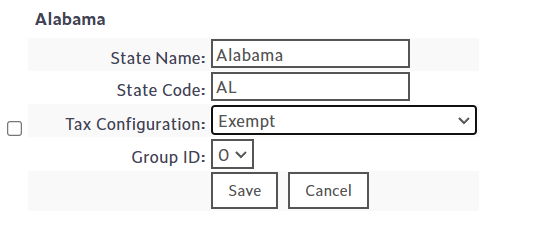
For each state where sales tax should not be charged, select Tax Exempt from the Tax Configuration dropdown and save.
How to Configure Taxable States
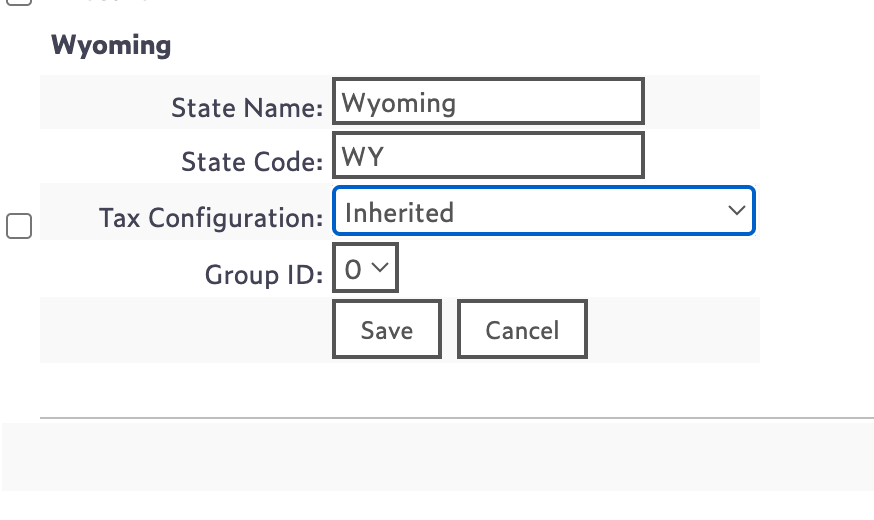
For the state(s) where you do need to charge sales tax, leave the configuration as
Inherited (POS: Item-Based). This ensures taxes are calculated correctly for taxable states while all other states remain non-taxable.
 Notes for Tax Provider Integrations
If your store does not use a tax provider, the above configuration is sufficient.
If your store integrates with a tax provider (e.g., TaxCloud), make sure the Tax Exempt settings are also applied in your tax provider account for out-of-state customers.