One of the new features introduced in the Autumn Template Update (2025) is the email carousels. Every carousel (product or image) now supports email-ready formatting. What do you need to know to start enhancing the emails sent from your store?
Setting up the carousel
Proceed with creating your carousel like always, but make sure to go into your Carousel Settings tab.
New carousel option called Display Type allows you to select the carousel format. One of the available options is "Email" and it will format the carousel so it works correctly in email. (Shown below)

Product carousels support 3 items in a row (so chose a number of items that's a multiply of 3) and will display: product image, product name as a link, price and "View Details" button linking to the product.
Image carousels are suitable for full-width (up to 600px) images of any kind. To support legacy email practices, the images are displayed without any spaces between them, allowing you to create a longer graphic and "cut it" in pieces, all linking into different products or departments.
Using the carousel in your email
Code for inserting the carousel:
{includeCarousel("NAME OF YOUR CAROUSEL")}If your want the carousel to be displayed in EVERY EMAIL sent from the store (and that includes: account registration, lost password, order confirmation, abandoned cart, back in stock notification, etc), simply place the code at the beginning of your email footer template:
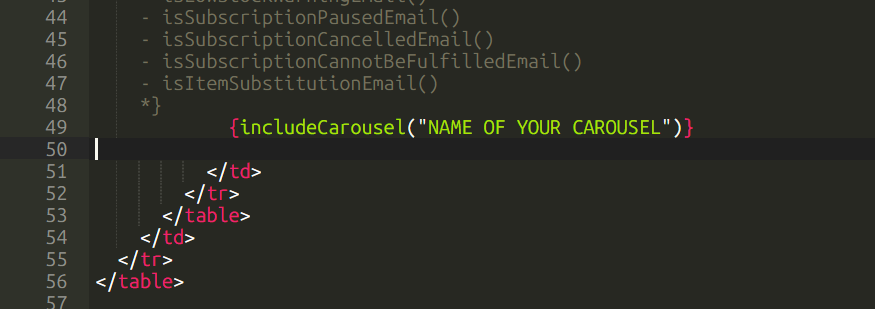
If you wish for the carousel to only be available in SOME of the emails, place the include code at the END of that email template.
If you need to add more spacing between or after the carousel, simply add
<br><br>Before and/or after the carousel.
How it should look
If everything went well, you should see the carousel inside your emails, like shown below:
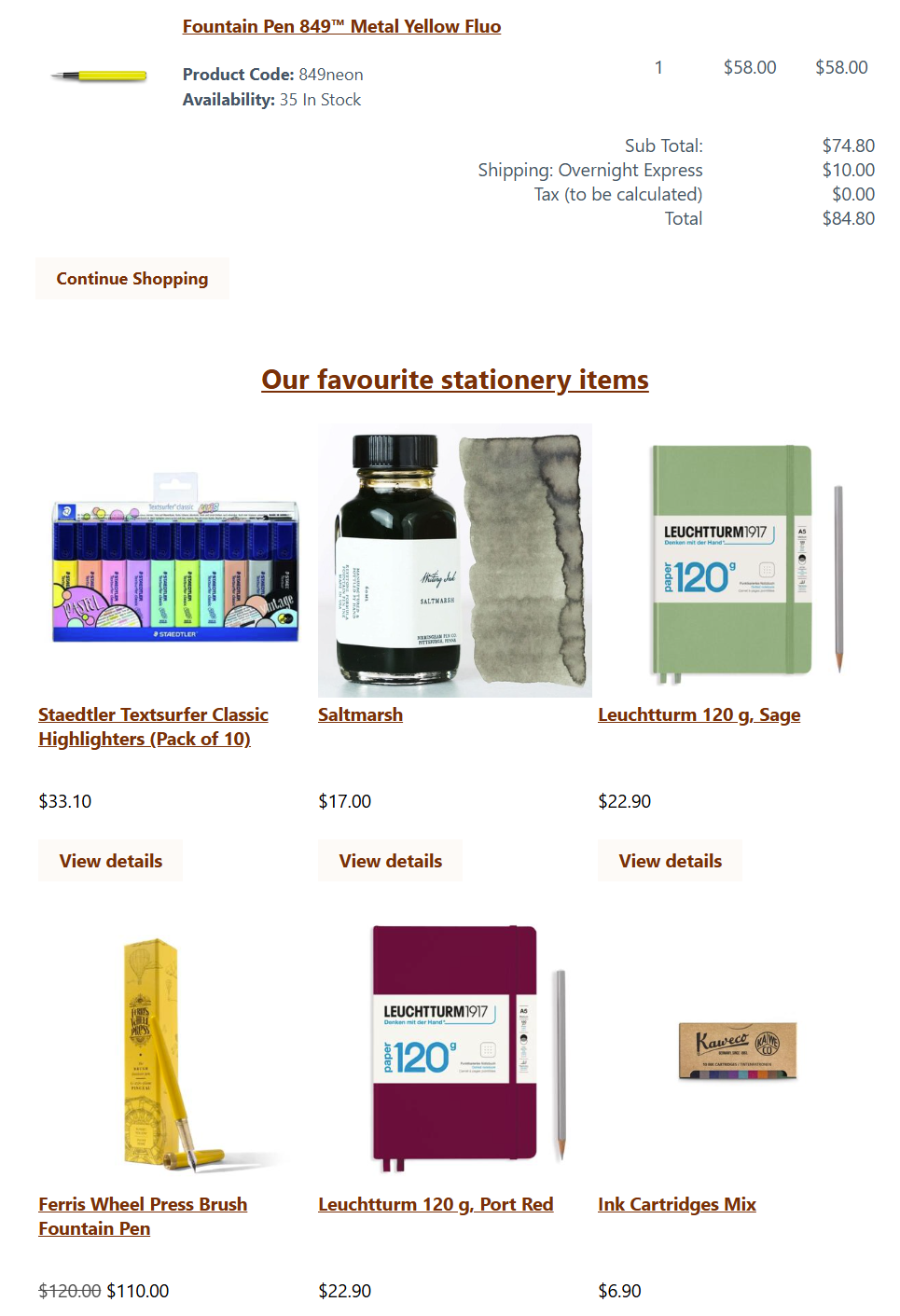
Product carousels will display the carousel title.
Important
Before trying the email carousels by yourself for the first time, please open a ticket with support, so we can double-check that the email-safe markup is present in your templates. Any changes done to that template before could prevent you from having the latest update.
Compatibility
* Next Gen Templates