Main Font
Your main font is the primary text style used across your ecommerce site—navigation menus, product descriptions, category pages, and general content.
For the best shopping experience, we recommend choosing a clean, simple font. Minimalistic fonts load quickly, look professional, and remain easy to read on both desktop and mobile devices. This is especially important for product information, where smaller text needs to stay clear and readable.
Popular examples include Helvetica and Arial.
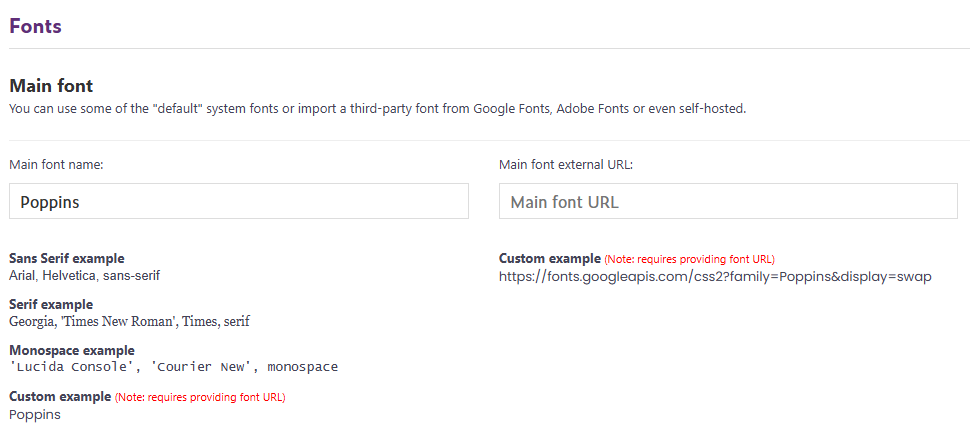
In the “Main Font Name” field, enter the name of the font you want to use on your webstore. We support several default system fonts, as shown in the screenshot above.
If you’re using a default system font, you can leave the “Main Font External URL” field empty.
Accent font
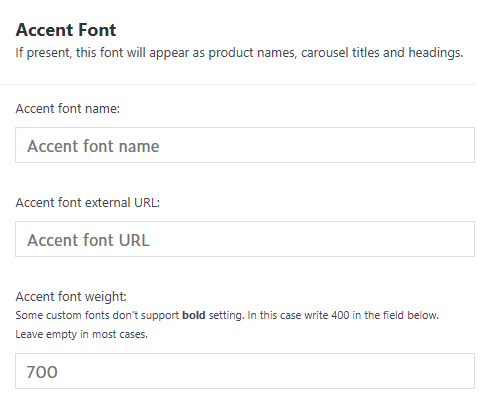
The accent font is usually used for headings, product names, and carousel titles. A good accent font helps important content stand out without hurting readability.
If your accent font doesn’t show up on your webstore after adding it and saving the settings, please open a support ticket so we can help.
Adding custom fonts
To give your ecommerce store a more branded look, you can use custom third-party fonts—for example from Google Fonts: Browse Fonts - Google Fonts
This is an easy way to upgrade your store’s visual identity. All Google Fonts are open-source, free to use, and available for commercial use.
To get the Google Fonts External URL for either Main or Accent font:
- Go to https://fonts.google.com
- Search for a font that fits your brand style (e.g., Roboto, Montserrat, Poppins).
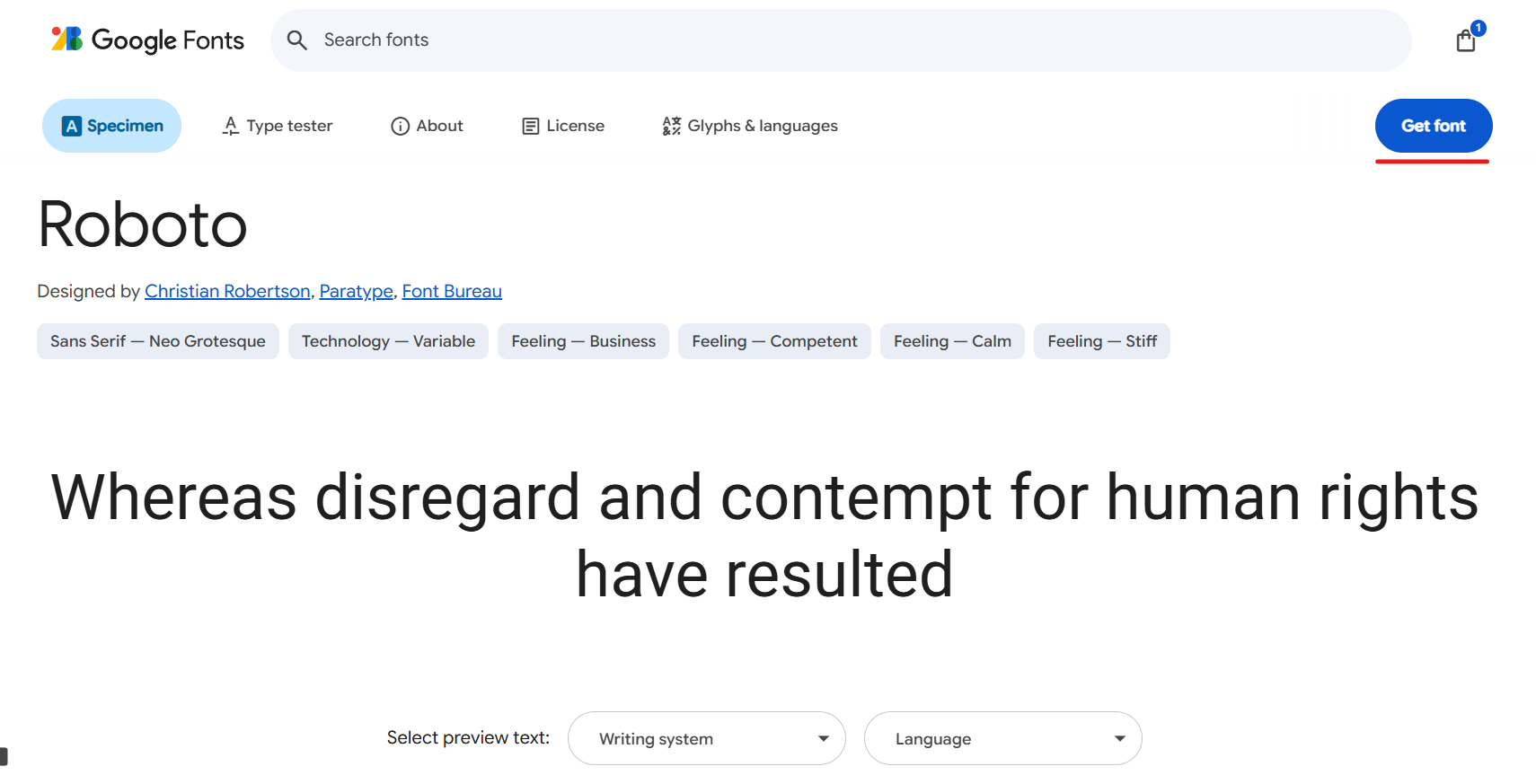
- Click on the font. On the right side, select “Get Font”.
- Select the styles you need (Regular, Bold, etc.).
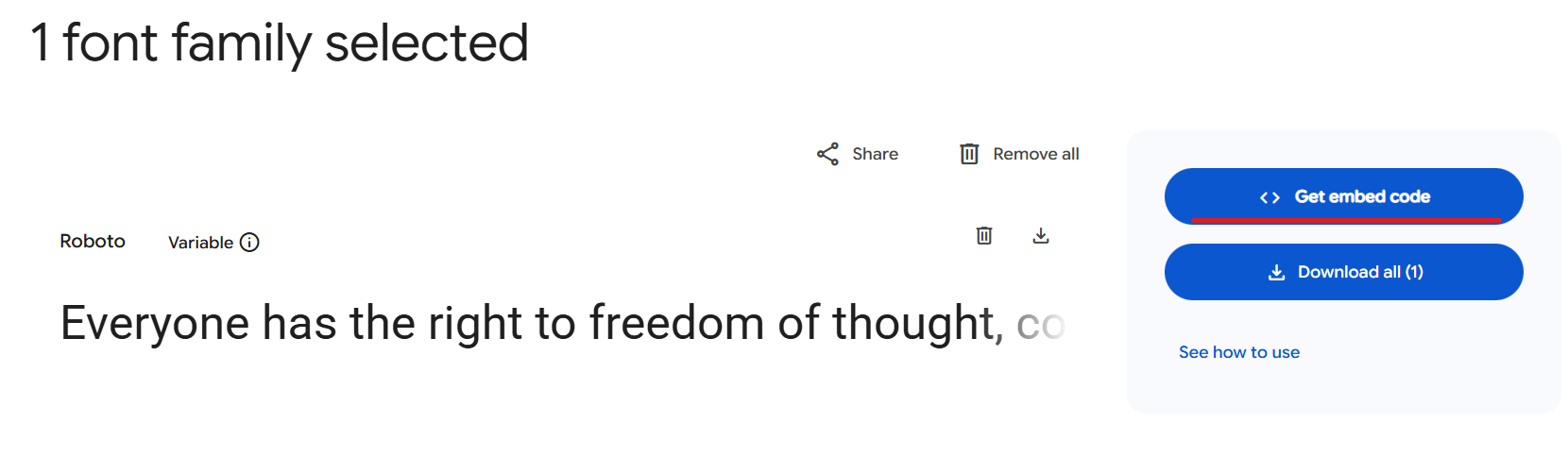
- Find the “Get Embed Code” section on the right side.
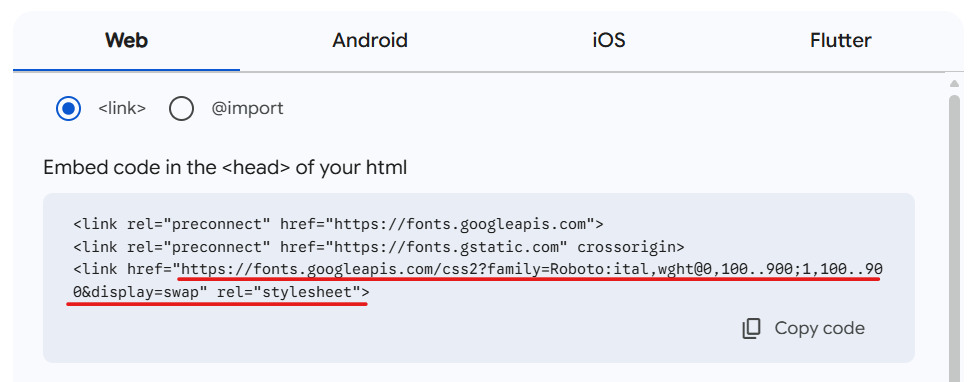
- Copy the URL inside the
<link>tag.
Example:<link href="https://fonts.googleapis.com/css2?family=Roboto:ital,wght@0,100..900;1,100..900&display=swap" rel="stylesheet">
The href value is your external URL.